
The keymap editor
The keymap editor is where you assign bindings against a device — a real connected keyboard, or the simulated one from Try Demo Mode. It is the surface you land on after connecting hardware, and where the builder hands off when you click Editor.
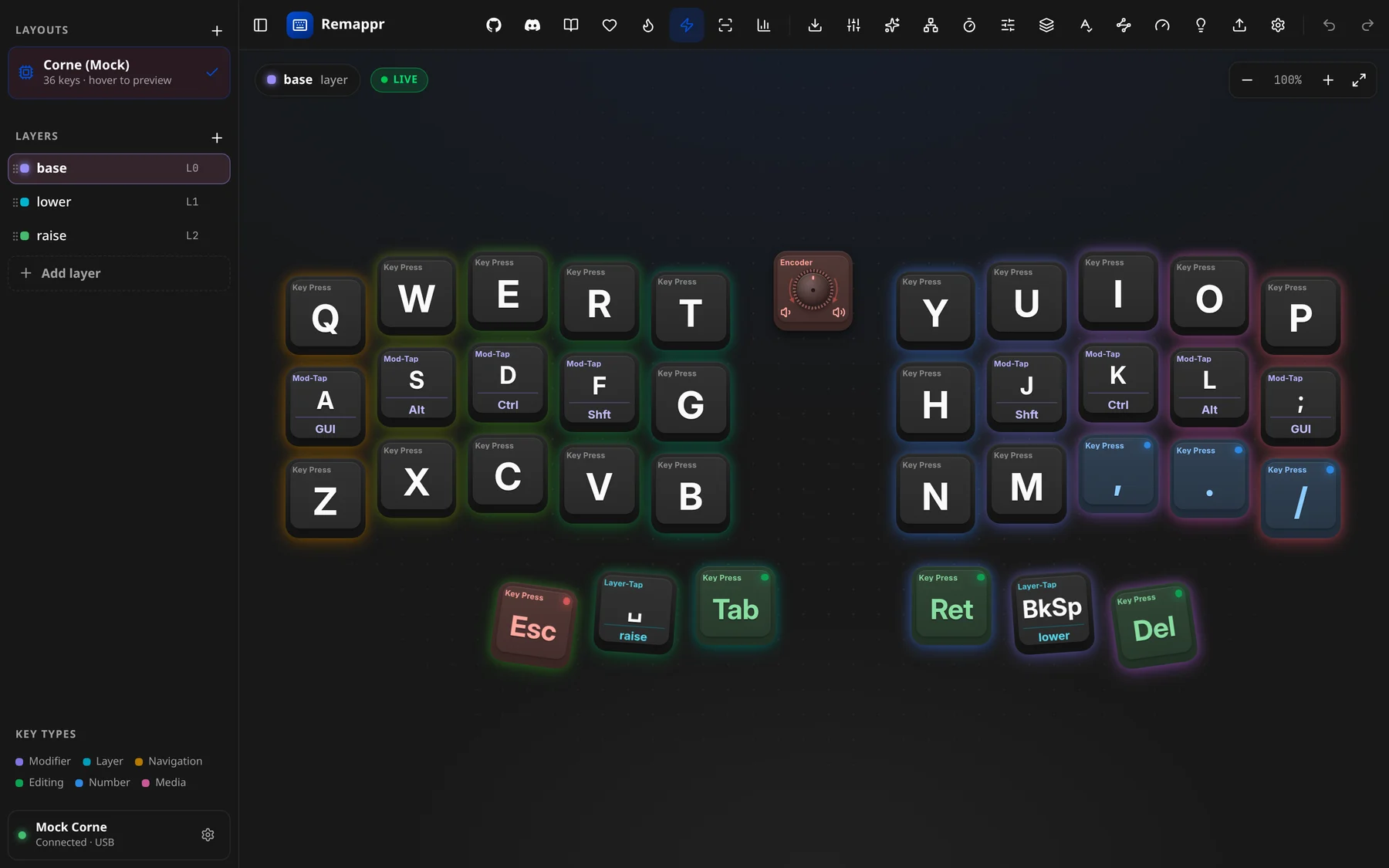
The screen
- Sidebar (left) — LAYOUTS (the physical layouts the board offers), LAYERS, the KEY TYPES colour legend and, at the bottom, the device card with its device menu. The ⊟ button at the top-left of the header folds the sidebar away.
- Board (middle) — the keyboard itself. A pill in the top-left names the layer on show (base · layer) next to a LIVE badge while live view is on; the zoom controls sit top-right (−, the zoom level, +, and fit-to-view).
- Header (top) — the toolbar, described below.
- Binding editor — opens when you click a key; where it opens depends on the workspace.
Pan the board with a drag, zoom with the mouse wheel or the zoom controls.
First-run tour
The first time the editor opens, a four-step tour points out the board, the layers, the tools and the workspaces. Skip ends it; it does not come back.
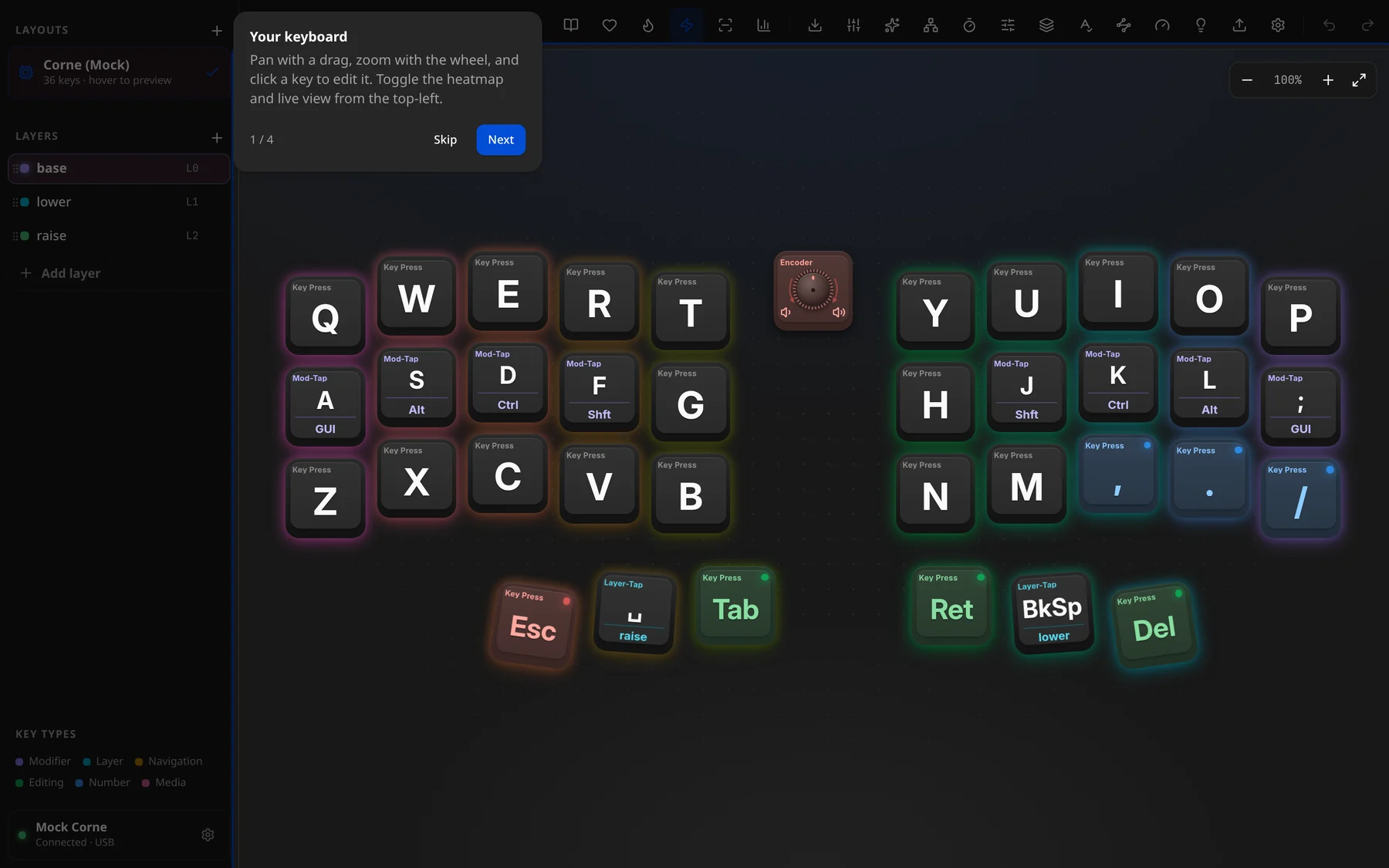
Keys on the board
Each keycap shows what it does:
- the header — the action type (Key Press, Mod-Tap, Layer-Tap…); change what it shows under Settings → General → Key Header;
- the legend — the key it sends, or an icon for media, Bluetooth and lighting actions;
- for hold-taps, a second legend under a rule — the hold side (a modifier or a layer name);
- a tint by function group — modifiers, layers, navigation, editing, numbers, media — matching the KEY TYPES legend. Turn it down or off with Colour-coding.
Rotary encoders sit on the board as a knob cap. See Encoders.
Header toolbar
The brand button (back to the Start Page) and the Builder hand-off sit on the left, the project links in the middle, and the tools on the right in three clusters — view, config, history — separated by thin rules. Many buttons are capability-gated: they only appear when the connected firmware supports them.
Project links (centre)
| Button | Tooltip | Does |
|---|---|---|
| GitHub Repository | Open the source repo. | |
| Discord Community | Open the Discord invite. | |
| 📖 | Documentation | Open these docs. |
| ♥ | Support this project | Sponsor links — see Support this project. |
View tools
| Button | Tooltip | Does |
|---|---|---|
| 🔥 | Heatmap | Colour keys by how often they are pressed. |
| ⚡ | Live view | Light keys as you press them. |
| ▥ | Key test | Check every switch works (gated: keyTest). |
| 📊 | Typing load | Hand balance and per-finger load. |
All four are covered in Heatmap, key test & typing load.
Config tools
| Button | Tooltip | Does |
|---|---|---|
| ⤓ | Flash & export config | Open the export modal. |
| ⇄ | Dynamic Entries | Open the Advanced sheet at Tap Dance (gated: dynamic). |
| ✦ | Macros | Open the Advanced sheet at Macros (gated: macros). |
| … | capability-gated dialogs | Wireless · Cluster · Unicode input · Advanced Mode · Timing & Defaults · Behaviors · Conditional Layers · Autocorrect · Node & Cluster · Link Profile — see Advanced features. |
| 💡 | RGB lighting | Open the RGB sheet. Disabled when the firmware drives lighting at compile time only. |
| ⇧ | load a definition | One button per source the connected adapter accepts (e.g. a VIA/Vial layout JSON, a ZMK combo file). |
| ⚙ | Settings | App settings. |
History tools
| Button | Tooltip | Does |
|---|---|---|
| ↶ ↷ | Undo / Redo | Step through your edits. |
| 🗑 | Discard changes | Revert all pending changes. |
| Save | Save keymap to keyboard | Commit changes to the device. With Auto-save on it becomes a pulsing auto-save indicator instead. Not shown for firmwares that save on their own, nor in demo mode. |
Layers
The LAYERS sidebar lists layers with a colour dot and an L0/L1 badge.
- Click a layer to show it on the board; hover one to peek at it without switching.
- + (Add Layer) appends a layer.
- Drag the grip handle ("Drag to reorder") to reorder layers.
- The ⋮ menu on each layer:
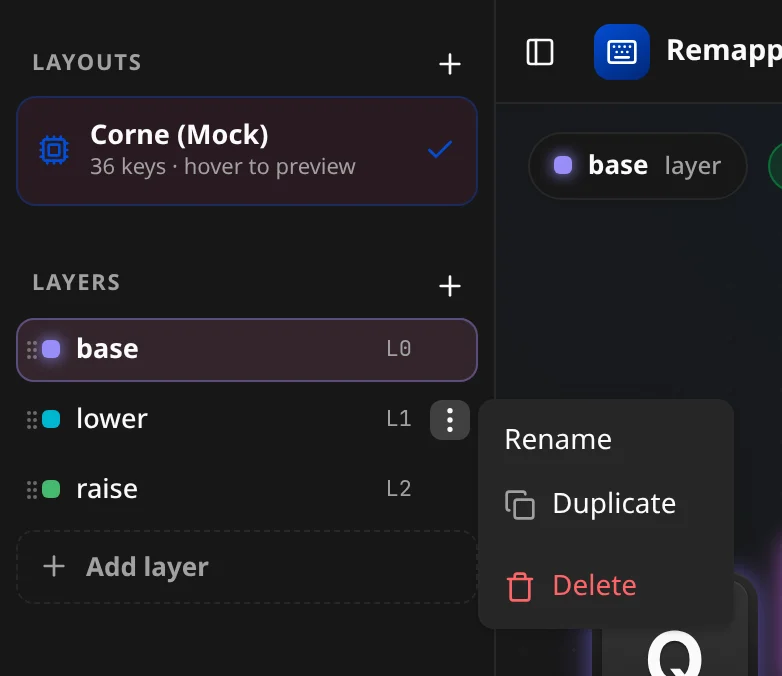
- Rename opens the "New Layer Name" dialog.
- Duplicate copies the layer with all its bindings.
- Delete removes it (disabled when it is the only layer).
Editor vs builder
| Builder | Editor | |
|---|---|---|
| Target | A design (no hardware needed) | A device (real or simulated) |
| Edits | Layout, matrix, controller, layers, bindings | Bindings, device settings, per-key RGB |
| Output | Exported firmware project | Live changes on the device (Save to commit) |
Both read and write the same JSON keymap config.