
Heatmap, key test & typing load
The first cluster of the header toolbar is about how the keyboard is used rather than what it is bound to. None of it changes the keymap.
Heatmap
Heatmap (🔥) tints every key by how often you press it — cool for rarely, hot for often — with a Less → More scale at the top of the board.
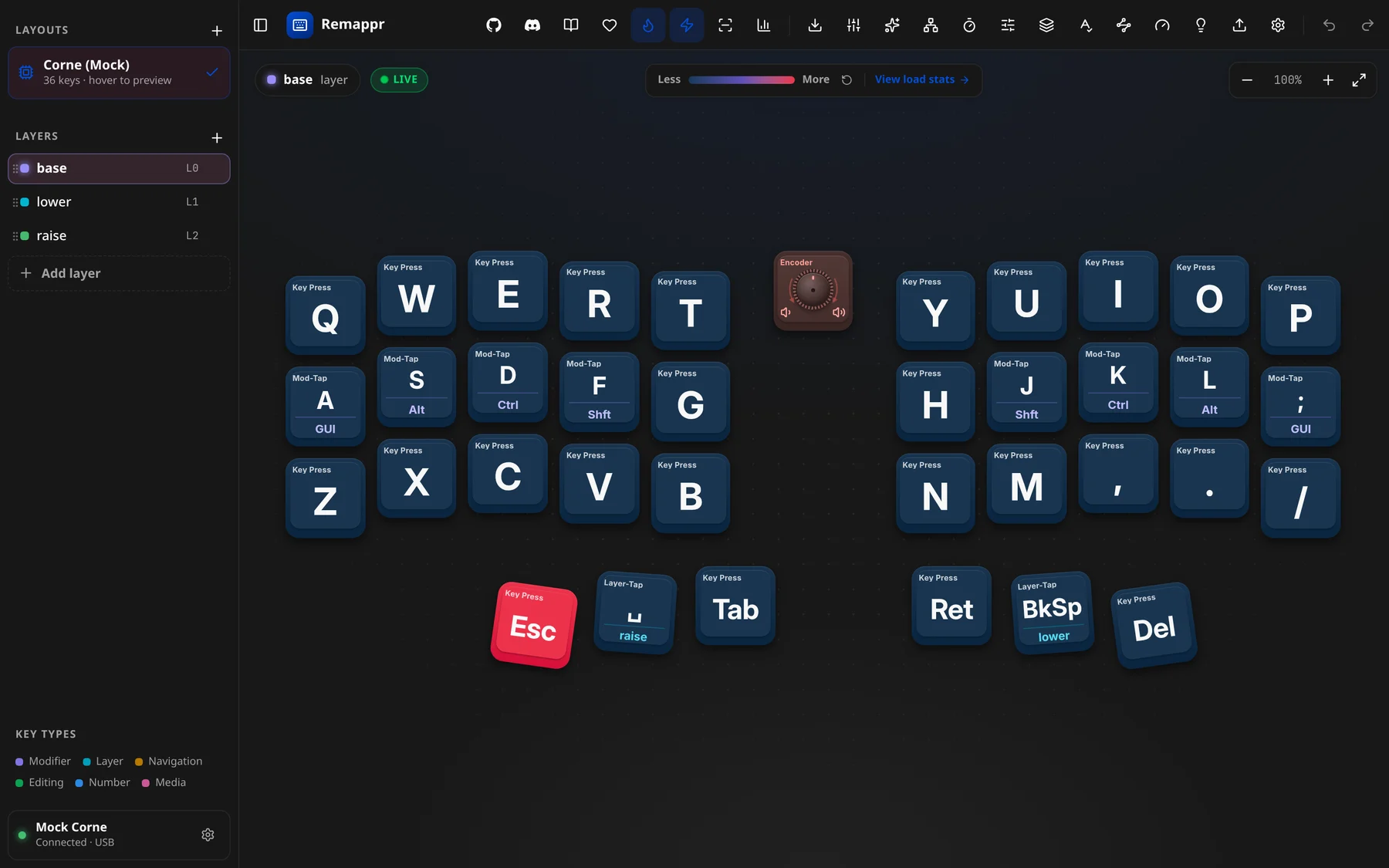
- Counts come from your typing while Remappr has focus: each key press the app sees is matched to the key bound to it. Type in a text field elsewhere and it is not counted.
- They are kept on this machine and build up across sessions. They are stored by key position, not per keyboard, so reset them when you move to another board.
- ↻ next to the scale (Reset press counts) starts over.
- View load stats → opens Typing load.
Live view
Live view (⚡) flashes each key on the board as you press it — a quick way to check that a binding is where you think it is. Like the heatmap it listens to key presses while Remappr has focus. It starts off in every session: switch it on from the header when you need it.
Key test
Key test (▥) checks the hardware: every switch you press is marked as seen, and the counter at the top counts up to the board's total.
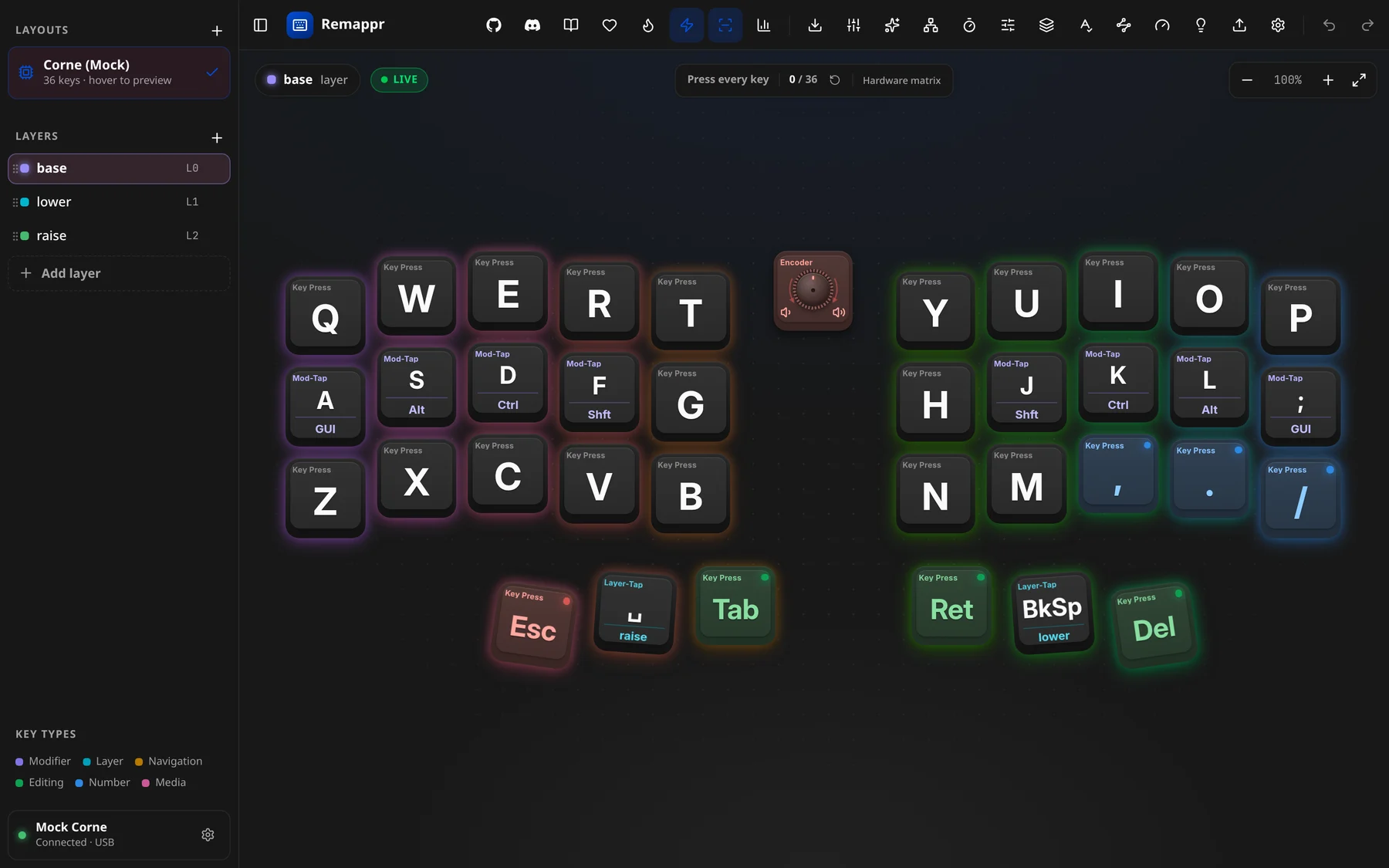
- Press every key — the counter reads
{seen} / {total}; ↻ (Reset key test) clears it. - The status on the right says where presses come from:
- Hardware matrix — the firmware reports raw switch activity over the wire, so every switch counts, including ones bound to nothing, or to layer and Bluetooth actions that never reach the computer.
- OS events — the fallback on firmwares without a key-test channel: presses are seen through the keys the computer receives, so Remappr must have focus and non-emitting keys can't be detected.
The button only appears when the firmware offers key testing.
Typing load
Typing load (📊) — "Hand balance & per-finger load" — turns the heatmap counts into a picture of how the work is spread across your hands.
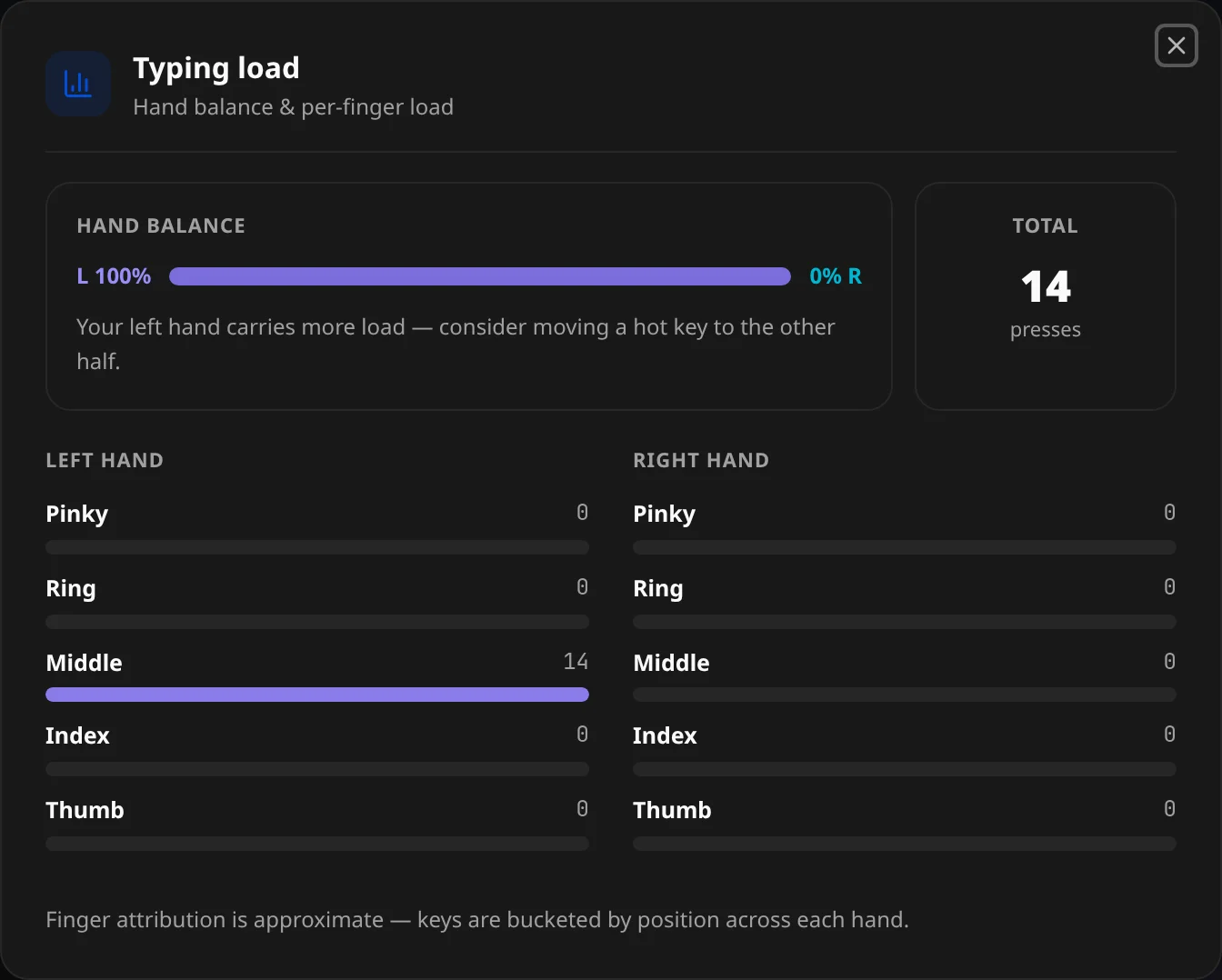
- Hand balance — the left/right split as a bar, with a hint when one hand carries noticeably more ("consider moving a hot key to the other half").
- Total — presses counted so far.
- Left hand / Right hand — per-finger bars: pinky, ring, middle, index, thumb.
"Finger attribution is approximate — keys are bucketed by position across each hand." Remappr assigns each key to a finger by where it sits on the board; it does not know how you actually type.