
Export, build & flash
When the design is ready, click Export & build in the toolbar. The export modal (titled Export & build, subtitled with your keyboard name) turns your JSON config into downloadable artifacts and tells you what is still missing for each firmware.
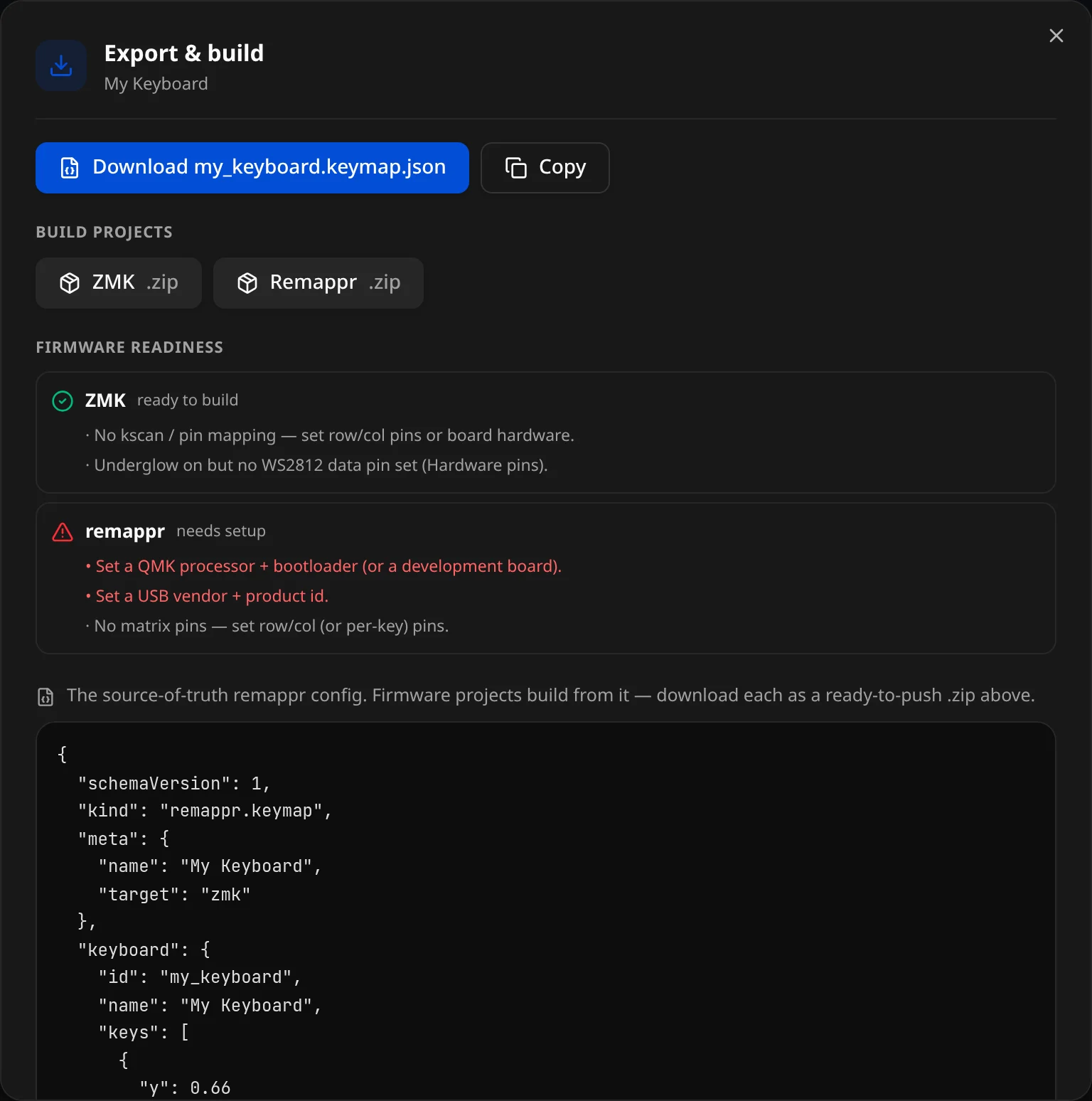
From the top:
- Download name.keymap.json and Copy — the Remappr config.
- Build projects — one chip per selected target (ZMK .zip, QMK .zip, Remappr .zip…), each a ready-to-build project (see below).
- Firmware readiness — the per-target check (see Readiness).
- The config itself, as a read-only preview — "The source-of-truth remappr config. Firmware projects build from it — download each as a ready-to-push .zip above."
- Open in editor (at the bottom) — hands the same config to the keymap editor, on a simulated device.
Readiness
The modal runs a per-firmware readiness check and shows a checklist. Each selected firmware gets a verdict — ready to build (✓, no blocking errors) or needs setup (⚠) — with its errors in red (must fix) and warnings in grey (should check). The same check drives the Readiness strip at the bottom of the Identity panel.
Typical checks:
| Firmware | Errors (block build) | Warnings (verify) |
|---|---|---|
| ZMK | No controller board set | No kscan / pin mapping; lighting/ext-power enabled but pin unset |
| QMK / VIA / Vial | No processor + bootloader (or dev board); no USB vendor/product id | No matrix pins |
| Vial | — | UID not 8 bytes; no unlock combo (and not marked insecure) |
A warning still exports — the project will build, but you should re-check the flagged item (often the matrix wiring) against your real hardware. An error means the generated project will not build as-is.
What you can download
The Remappr JSON config
A verbatim download of the source-of-truth keymap.json. This is the portable, firmware-agnostic file — keep it under version control; it regenerates every other artifact.
Per-firmware project bundles
For each target, Remappr generates a complete, ready-to-push project — not just the keymap file — packaged as a .zip:
ZMK → a zmk-config repo skeleton:
config/boards/shields/<id>/
  <SHIELD>.keymap      # bindings, behaviors, combos, macros, tap-dances
  <SHIELD>.overlay     # physical layout + matrix-transform (+ hardware nodes)
  <SHIELD>.conf        # Kconfig flags (derived from used features)
  Kconfig.shield       # registers the shield
  Kconfig.defconfig    # keyboard name (+ split roles)
  <id>.zmk.yml         # shield metadata
config/west.yml        # ZMK manifest
build.yaml             # build matrix (board + shield)
.github/workflows/build.yml   # cloud build
README.md
Split keyboards ship a shared .dtsi base plus two half overlays, and the build matrix builds both halves.
QMK / VIA / Vial → a qmk_userspace tree:
keyboards/<kb>/keyboard.json          # data-driven board definition
keyboards/<kb>/keymaps/remappr/keymap.c
keyboards/<kb>/keymaps/remappr/rules.mk
keyboards/<kb>/keymaps/remappr/config.h
qmk.json
.github/workflows/build_binaries.yml  # cloud build
README.md
When VIA/Vial are targeted the bundle also includes the VIA definition (via/<kb>.json) and, for Vial, vial.json + the UID/unlock config.h.
Build the firmware
Each bundle's README spells out both paths. In short:
Cloud build (no toolchain)
- Create a new GitHub repository and push the bundle's files.
- The included GitHub Actions workflow compiles on every push (ZMK uses
build-user-config; QMK usesqmk_userspace_build). - Open the Actions run and download the firmware artifact — a
.uf2(ZMK) or.hex/.uf2(QMK).
Local build
- ZMK:
west init -l config && west update, thenwest build -s zmk/app -b <board> -- -DSHIELD=<SHIELD> -DZMK_CONFIG="$(pwd)/config". - QMK:
qmk userspace-compile(orqmk compile -kb <kb> -km remappr).
Flash
- ZMK / UF2 boards: double-tap reset to enter the bootloader, then drag the
.uf2onto the mounted drive. - QMK: flash the
.hex/.uf2with QMK Toolbox,qmk flash, or the board's DFU tool.
Verify the wiring
Remappr derives the matrix-transform / pin map from physical key position when you have not supplied the real electrical wiring. Before flashing a board you care about, re-check the generated RC() map (ZMK) or matrix pins (QMK) against your actual hardware.