
Builder overview & toolbar
The Builder is a full-screen, canvas-based tool for designing a keyboard from scratch — its physical layout, electrical matrix, controller, lighting, layers and key bindings — and exporting it as a buildable firmware project.
Open it from the Start Page with Create a keyboard → Open builder.
Access during development
While the builder is in alpha/beta it is free for everyone (a "{stage} · FREE" badge shows on the Start Page card). At general availability it becomes a premium feature that needs an account.
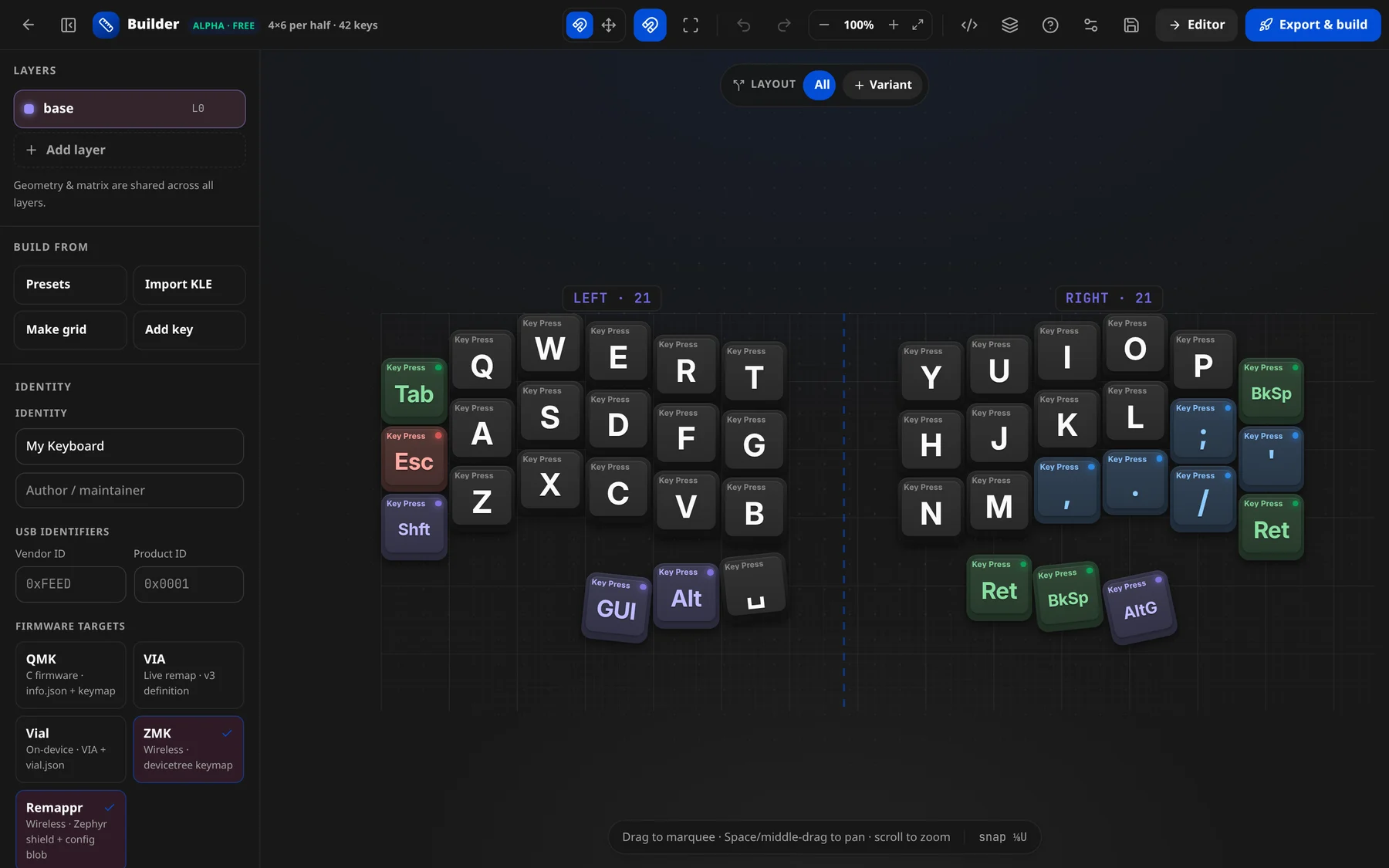
Starting a board
When the builder opens with no board loaded, it asks where to start — "Design a keyboard — Pick a starting point — or close to keep the current board":
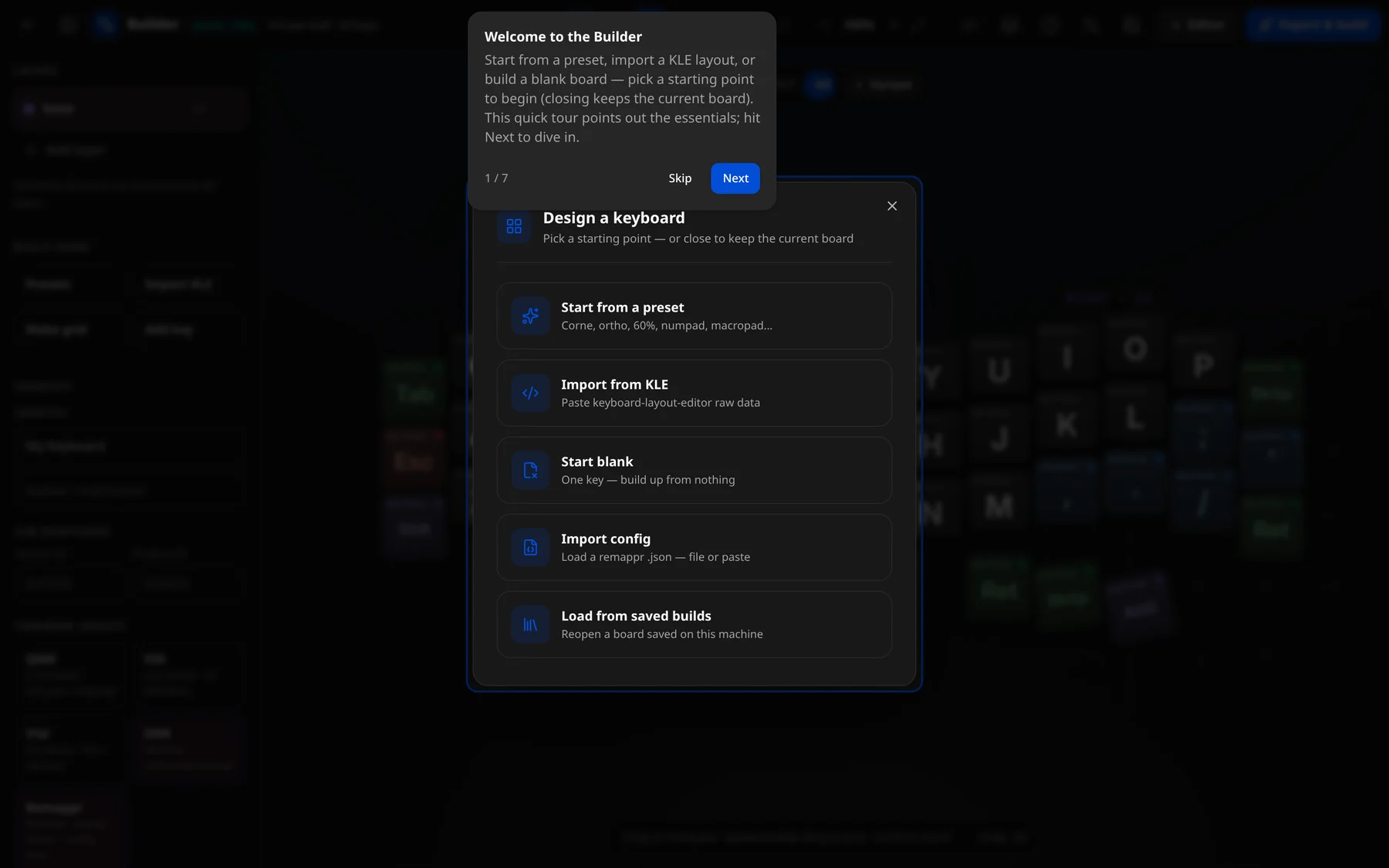
| Option | Does |
|---|---|
| Start from a preset | "Corne, ortho, 60%, numpad, macropad…" — see Presets. |
| Import from KLE | "Paste keyboard-layout-editor raw data." |
| Start blank | "One key — build up from nothing." |
| Import config | "Load a remappr .json — file or paste." The whole config: layout, layers, bindings, hardware. |
| Load from saved builds | "Reopen a board saved on this machine" — your library. |
× keeps whatever is on the canvas — on a first visit, a 4×6-per-half split (42 keys) to try things on. The Presets, Import KLE and Make grid buttons in the left panel open the same dialogs any time.
The tour
The first time, a seven-step tour walks through the builder: Welcome, Start your board, Place & arrange keys, Layers, Wire the matrix, Inspect & bind, Export & build. Skip ends it; Replay builder tour (? in the toolbar) runs it again.
The layout
┌──────────────────────────────────────────────────────────────┐
│  Toolbar                                                       │
├───────────────┬──────────────────────────────┬────────────────┤
│  Left panel   │                              │   Inspector     │
│  • Layers     │          Canvas              │  selected key   │
│  • Build from │      (pan / zoom keys)       │  properties     │
│  • Identity   │                              │  — or JSON —    │
├───────────────┴──────────────────────────────┴────────────────┤
│  Status bar   "12 selected"  ·  "snap ⅛U"                        │
└──────────────────────────────────────────────────────────────┘
Toolbar reference
Left to right: navigation and the board summary (4×6 per half · 42 keys) on the left, the canvas tools in the middle, and the panels, library and hand-offs on the right. The exact tooltip of each button:
| Button | Tooltip | Does |
|---|---|---|
| ← | Back | Leave the builder. |
| ▭ | Hide panel / Show panel | Collapse/expand the left panel. |
| ▦ ✥ | Snap to grid / Free form | Switch placement mode (two segmented buttons). |
| ⅛ | Snapping on / Snapping off | Toggle ⅛U snapping while dragging. |
| ⊞ | Matrix wiring view | Overlay row/column wiring on the keys. |
| ↶ | Undo | Undo the last edit. |
| ↷ | Redo | Redo. |
{ } | Edit config JSON | Swap the inspector for the live JSON editor. |
| ▤ | Keyboard library | Open saved boards. |
| ? | Replay builder tour | Re-run the guided coachmark tour. |
| ⚙ | Settings | App settings. |
| ⤓ | Save to library | Save the current board to your library. |
| Editor → | Editor | Hand off to the keymap editor on a demo device. |
| Export & build 🚀 | Open the export modal. |
The zoom cluster (Zoom out / Reset view / Zoom in / Fit) shows the current zoom as a percentage (e.g. 100%).
Status bar
The bottom bar shows context:
12 selected— when keys are selected.Drag to marquee · Space/middle-drag to pan · scroll to zoom— when nothing is selected.- The current snap mode:
snap ⅛U,snap off, orfree-form. The board summary —4×12 · 48 keys(rows × cols), or4×6 per half · 42 keysfor a split — sits next to the Builder title in the toolbar.
Layout variants
The bar floating at the top of the canvas (LAYOUT · All · + Variant) holds the board's physical-layout variants — alternative key sets on one PCB, such as a split spacebar vs a 2u one. + Variant adds one; picking a variant dims the keys that belong to the others; double-click a name to rename it, × to delete it; All clears the filter. Tag keys into a variant from the inspector's Layout variant field.
Left panel sections
| Section | What it holds |
|---|---|
| Layers | The layer list (add / duplicate / delete / rename). See Layers & bindings. |
| Build from | Create geometry: Presets, Import KLE, Make grid, Add key. See Building the layout. |
| Identity | The keyboard metadata form: name, USB ids, firmware targets, controller, matrix, lighting, firmware config. See Identity & hardware. |
A reminder under the sections notes: "Geometry & matrix are shared across all layers." — only bindings differ per layer.
Edit config JSON
Edit config JSON ({ }) swaps the inspector for the config itself — "Config JSON · Schema-checked · autocomplete · live-updates":
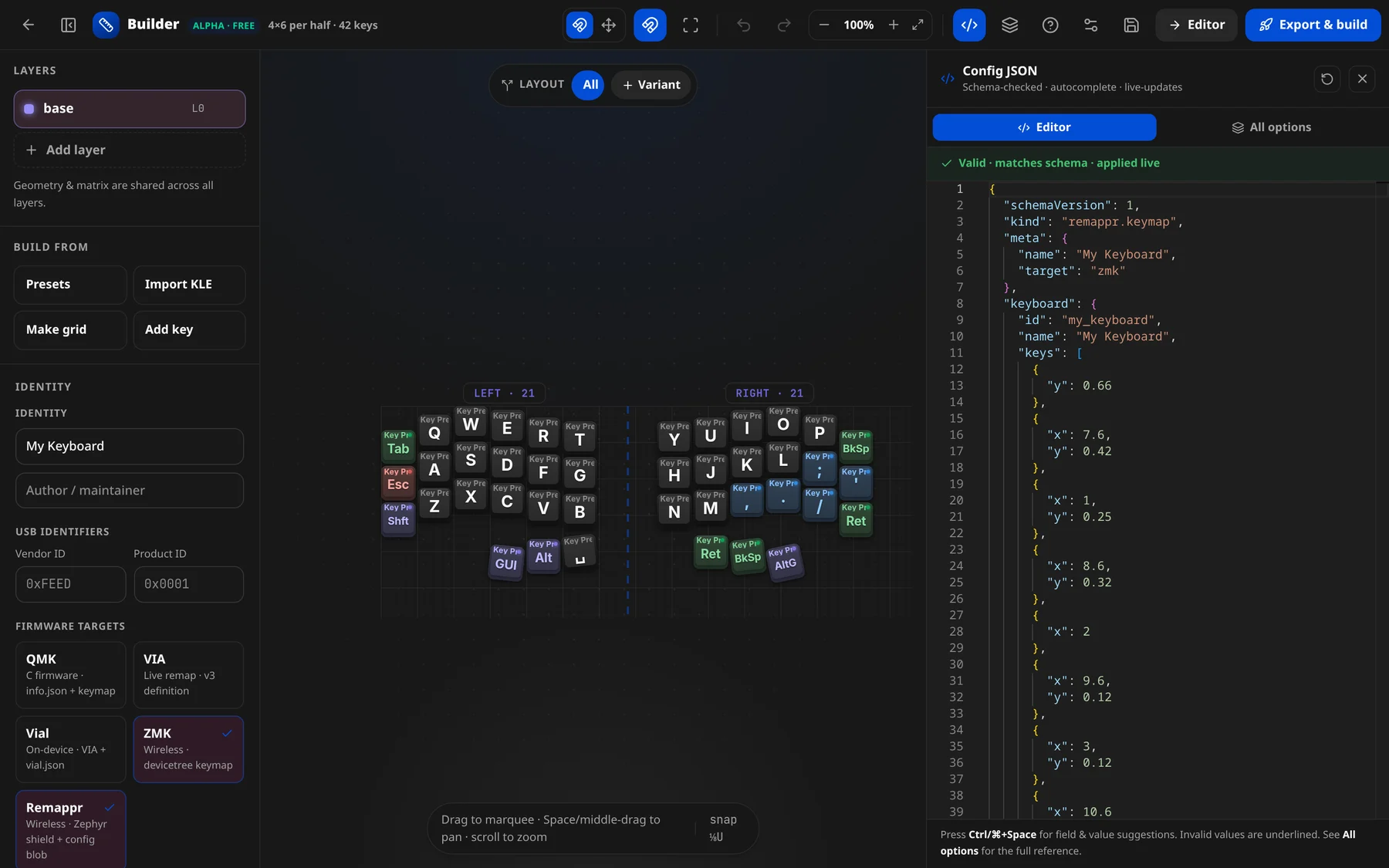
- Editor — the live JSON config. Edits apply as you type while the JSON is valid ("Valid · matches schema · applied live"); invalid values are underlined and nothing is applied until they are fixed.
- Ctrl/⌘+Space suggests fields and values.
- All options — the full reference of every field.
- ↻ (Re-sync from the board) reloads the JSON from the board on the canvas; × closes the panel.
Keyboard library
Keyboard library (▤) lists the boards saved on this machine — "Saved boards on this machine". Save current board (or Save to library ⤓ in the toolbar) adds the one on the canvas; pick a saved board to reopen it.
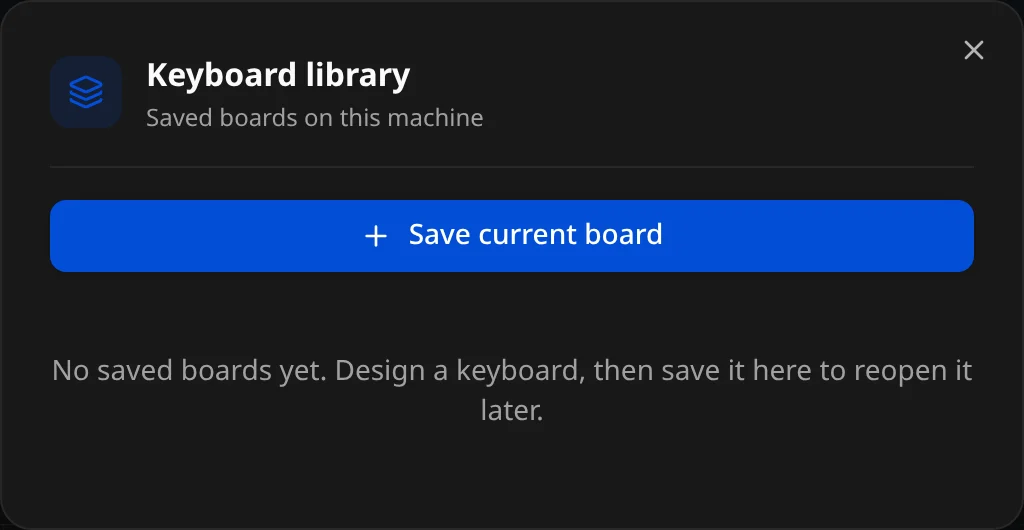
Boards are stored in the browser (or the desktop app's storage) on this machine only — export the JSON config to keep a copy elsewhere.
Keyboard shortcuts
| Keys | Action |
|---|---|
Ctrl/Cmd + Z | Undo |
Ctrl/Cmd + Shift + Z · Ctrl/Cmd + Y | Redo |
Ctrl/Cmd + A | Select all keys |
Ctrl/Cmd + D | Duplicate selection |
Backspace / Delete | Delete selection |
Esc | Clear selection |
| Arrow keys | Nudge 0.25U |
Shift + arrows | Nudge 1U |
How a design flows through Remappr
Everything you do edits one in-memory JSON keymap config. From there you can Edit JSON (hand-edit the same config), hand it to the Editor, or Export & build a per-firmware project.