
RGB & lighting
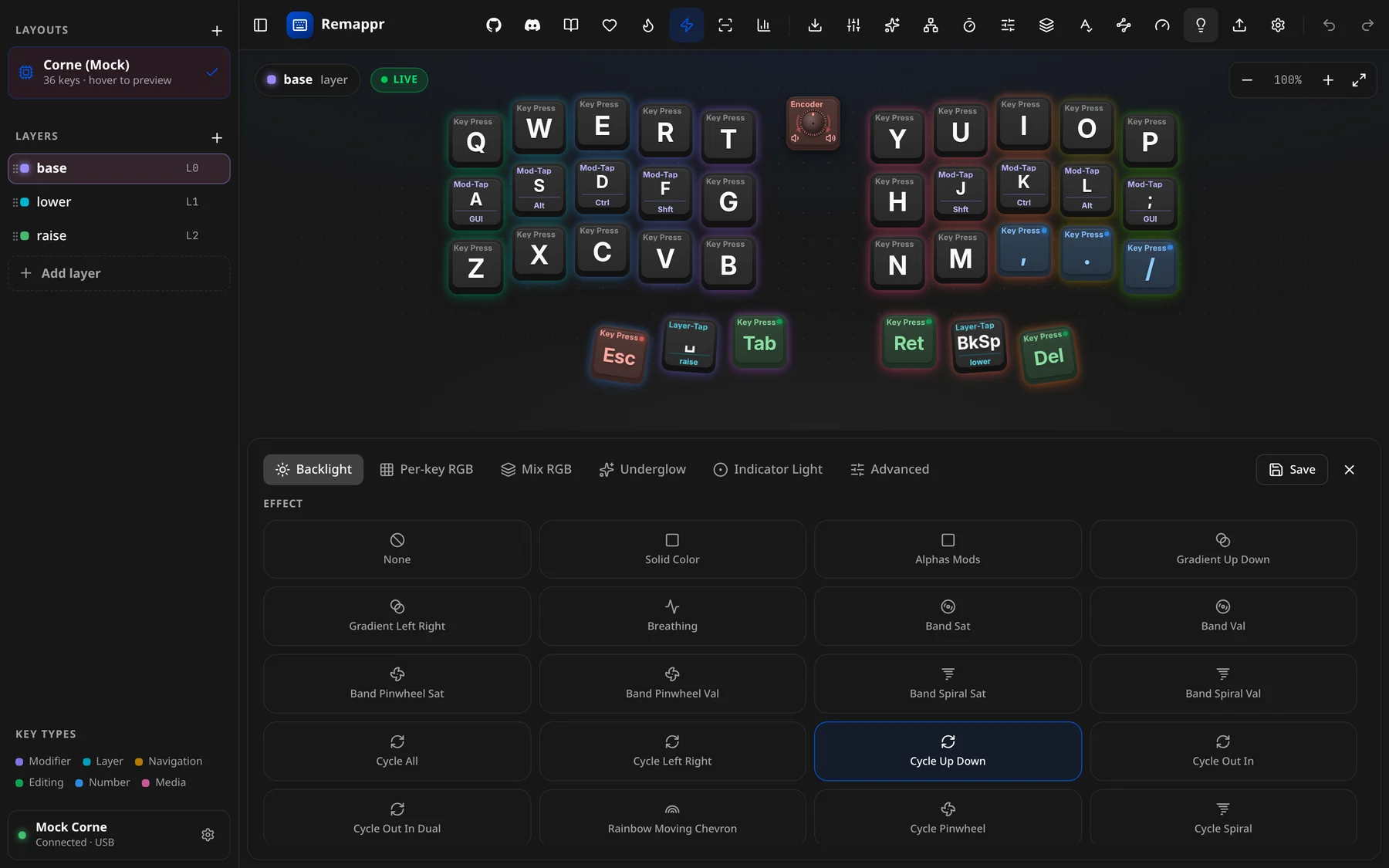
On a connected device, the RGB lighting button (💡) in the header opens the RGB sheet — a dock under the board for editing its lighting live. Click the button again, or the sheet's ×, to close it.
The button is disabled — with the tooltip "RGB lighting is compile-time only on this firmware" — when the firmware sets its lighting when it is built and offers no way to change it at runtime. Bind lighting actions to keys there instead.
Without an RGB-capable device (in demo mode, or a board with no lighting service), the sheet drives the on-screen simulation: the glow around the caps follows the effect, colour and speed you pick, so you can try effects before you have the hardware.
Tabs
| Tab | What it does |
|---|---|
| Backlight | Single-color backlight brightness/effect. |
| Per-key RGB | Paint per-switch colors directly onto keys. |
| Mix RGB | "Split the keyboard into two zones, each with its own looping effect timeline. Coming soon." |
| Underglow | Underglow strip control. |
| Indicator Light | Status indicator LED. |
| Advanced | Lower-level RGB controls. |
Effects
The EFFECT grid lists the effects the board's firmware offers, in its own order — each tile with an icon and the effect's name (Solid Color, Breathing, Cycle All, Rainbow Beacon…); the active one is outlined. Below the grid sit the controls the effect uses:
- Brightness.
- Speed, for animated effects.
- Hue and Saturation — only for effects that use the colour you pick. Effects that paint their own palette (the Cycle family, Rainbow Mood, Rainbow Swirl, Typing Heatmap, Digital Rain, ZMK's Spectrum and Swirl…) hide them, since the picker would change nothing. Effects that shift from your colour — Breathing, Band, Gradient, Beacon, Splash, Starlight — keep them.
Changes are sent to the device as you move the controls.
Per-key painting
In Per-key RGB, click keys on the board to select them (multi-select for batch coloring), pick a color, and it writes to the device's LED map. While painting, the binding picker is suppressed so clicks select LEDs, not bindings.
Saving
The sheet's Save button commits RGB settings to the keyboard ("RGB settings saved to keyboard"). It only appears on a real device with an RGB service — in the simulator there is nothing to persist to.
See also
- Builder lighting — declaring lighting on a design
lightingaction — keymap-bound controls (the ZMK path)